

Last Updated: November 4, 2026
Quick Summary
To track local search rankings without technical skills, start with Google Business Profile Insights as your free baseline, recording calls, direction requests, website clicks and top search queries weekly in a spreadsheet. Then use local rank tracking tools or manual incognito checks to monitor your grid positions across your service area, and connect those positions to calls and direction requests.
- Record calls, direction requests, website clicks and top five search queries from the Performance tab every week on the same day.
- A 5x5 grid over a 5-mile radius places points roughly 1.25 miles apart, while a 7x7 grid tightens spacing to about 0.83 miles.
- Run keyword grid scans monthly rather than weekly, since weekly scans create noise and monthly scans show real movement.
- Set up a tracking number for your Google Business Profile listing so calls get logged automatically.
- Keep reports to one page with three sections: what went up, what went down, and what you will change next.
Table of Contents
- Start With the Local Search Metrics That Actually Matter
- Set Up Google Business Profile Insights as Your Baseline
- Use Local Rank Tracking Tools to Monitor Grid Positions
- How to Track Local Keyword Rankings by Location
- Connect Rankings to Phone Calls, Direction Requests and Revenue
- Build a Local SEO Reporting Rhythm That Owners Will Read
- Get Your Local Search Rankings Tracked for You
- Frequently Asked Questions
Start With the Local Search Metrics That Actually Matter
Learning how to track local search rankings starts with knowing which numbers deserve your attention. Most owners drown in dashboards, yet only a handful of metrics show whether new customers are actually finding you.
Here is the short answer: track the metrics tied to a customer's decision, not vanity numbers. That means map positions, calls, direction requests, and website actions.
Local search rankings are the positions your business holds in Google's map results and local pack for searches made near you.
Owners often fixate on one big keyword while ignoring the searches that bring paying customers through the door.
Focus on these five metrics first:
- Local pack position for your top money keywords
- Phone calls from your Google Business Profile
- Direction requests and map views
- Website clicks from your profile listing
- Review count and average rating
Everything else is supporting detail. If you want a deeper walkthrough of these numbers, our guide on how to measure local SEO campaign performance breaks each one down step by step.
Watch out: judging yourself by a single "average position" hides the fact that you rank well two streets over and disappear three miles out. Local is a grid, not a line.
Set Up Google Business Profile Insights as Your Baseline
Google Business Profile Insights is the free performance data inside your listing, and it is the fastest baseline you can build. It shows how people found you, what they searched, and what they did next (Understand your Business Profile performance & insights).
Open your profile, then check the Performance tab. You will see calls, messages, direction requests, website clicks, and searches that triggered your listing.
A common mistake is reading these numbers once and never again. Insights only becomes useful when you record it on the same day each week and compare periods.
Set your baseline like this:
- Open the Performance tab in your Google Business Profile.
- Record calls, direction requests, website clicks, and bookings for the last 30 days.
- Note your top five search queries.
- Save the numbers in a simple spreadsheet with the date.
- Repeat every week on the same day.
That spreadsheet becomes your reference point. When you change photos, hours, or posts, you can see whether calls and direction requests respond.
The Google Business Profile help center explains exactly where each metric lives, which saves you from guessing.
One honest limitation: Insights groups data and does not show which individual customer called. You get totals, not names. That is fine for spotting trends, but it means you still need call tracking for the full picture.
Use Local Rank Tracking Tools to Monitor Grid Positions
Local rank tracking tools check where you appear across a grid of geographic points around your address, not from one fixed location.
Here is the mechanism most guides skip: a local rank tracker does not query Google from your office.
Grid size and spacing matter more than most owners realize. A 5x5 grid covering a 5-mile radius places points roughly 1.25 miles apart.
The free route is manual checking. Search your keyword from different spots, in incognito mode, and log what you see.
Paid tools do the same job at scale. They scan dozens of grid points and show a heat map of where you rank.
Here is how the options compare:
| Method | Effort | Best For | Limitations |
|---|---|---|---|
| Manual incognito checks | High | Solo owners testing one keyword | Few data points, easy to misread, location simulation unreliable |
| Free tool plans | Medium | Trying grid tracking first | Limited keywords, coarse grids, infrequent scans |
| Paid rank trackers | Low | Multi-location businesses | Monthly cost per location, grid size caps on lower tiers |
| Managed service | None | Owners with no time | Less hands-on control, slower to react to changes |
What most guides miss is scan frequency.
Watch out: a single grid average can hide a split pattern, strong near your address, invisible at the edge of your service radius.
If you want to improve the positions you find, our 2026 guide to improving local search rankings covers the practical fixes.
How to Track Local Keyword Rankings by Location
Tracking local keyword rankings by location means checking each keyword from multiple points around your service area. A dentist in one suburb may rank first within a mile and vanish across town.
Start by listing the searches that matter. Skip broad terms. Use phrases customers actually type, like "emergency plumber near me" or "family dentist open Saturday." Then group them by intent and geography, because each group behaves differently in local results:
- Core service keywords tied to your main money-maker (e.g., "root canal dentist"). These usually have the highest commercial value and the most competition.
- Neighborhood keywords naming nearby areas (e.g., "dentist in Riverside"). These reveal whether your proximity signals are working in adjacent zones.
- Intent keywords like "open now," "near me," or "same day." These are proximity-heavy and often shift fastest when you change hours or respond to reviews.
- Competitor-adjacent keywords customers use when comparing (e.g., "best dentist near me" or "affordable plumber"). Track these to see where you appear alongside named competitors in the local pack.
Next, map your grid. Pick your address as the center point, then add points at the edges of your normal service radius.
CONTACT US FREE BUSINESS ANALYSIS →
Run the scan and record three things for each keyword: your position at the center, your position at the edge, and the gap between them. A wide gap tells you that proximity is doing the heavy lifting, not your profile strength. A narrow gap with a mediocre center position tells you the opposite, your profile is competitive but your location is limiting you.
Geo-targeted keywords deserve their own tracking line. If you serve several towns, track each town separately. A single blended average will hide the towns where you are invisible.
This is also where competitor benchmarking belongs, and most guides skip it. For each keyword group, log the top three local pack results at your center point and at one edge point.
Repeat the scan monthly. Weekly scans create noise; monthly scans show real movement. Keep the raw grid exports, not just the averages, so you can compare the same points quarter over quarter.
Connect Rankings to Phone Calls, Direction Requests and Revenue
Rankings are only worth tracking if they connect to money.
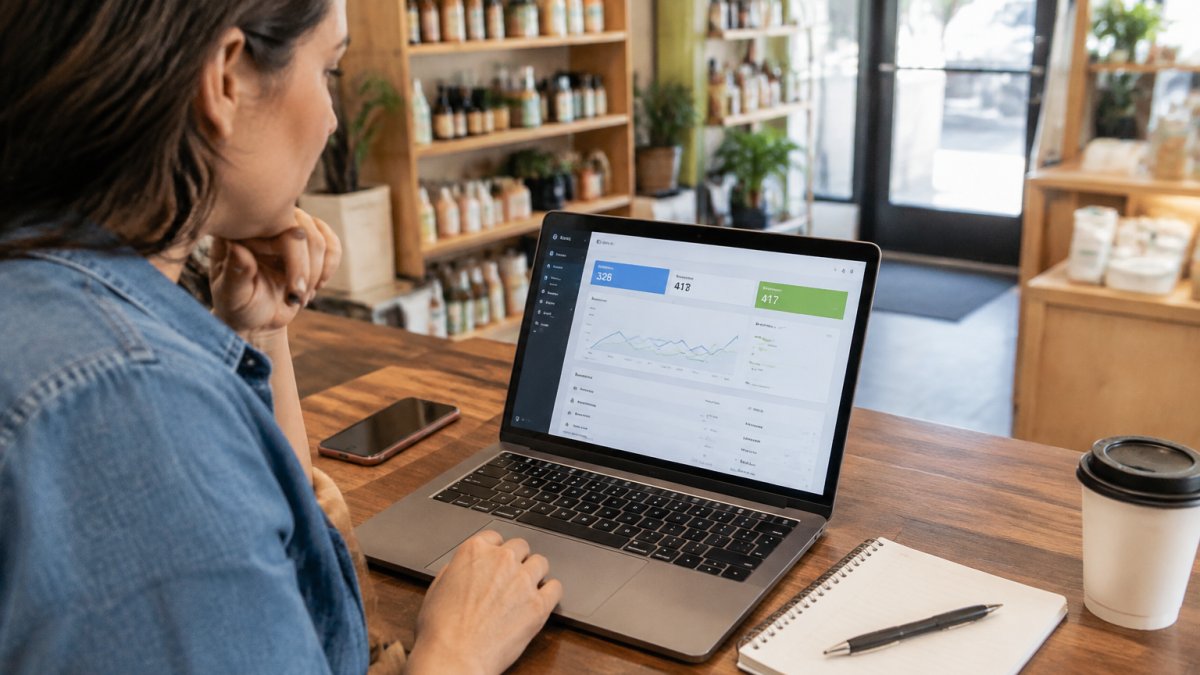
Set up a tracking number for your Google Business Profile listing. When someone taps "Call," the call routes through that number and gets logged. You keep your main line for regulars.
Then build a simple weekly scorecard:
- Log local pack position for your top three keywords.
- Log calls from the tracking number.
- Log direction requests from Insights.
- Log booked jobs or appointments.
- Compare each week against your baseline.
This is where attribution gets tricky, and most guides skip it. A customer may see your map listing, call, then show up a week later.
A practical fix is a two-question script at the counter or on the phone: "How did you find us?" and "Were you looking on Google Maps?" Log the answers.
Watch out: if you never ask, you will credit your rankings for customers who came from a flyer, and blame your rankings for a slow week that was actually a holiday.
If missed calls are a real leak in your business, an AI receptionist that answers every missed call closes that gap while you sleep.
Build a Local SEO Reporting Rhythm That Owners Will Read
Local SEO reporting is the habit of reviewing your numbers on a fixed schedule and turning them into one page a busy owner will actually open. Length kills reports. Clarity saves them.
Pick a rhythm and stick to it:
- Weekly: calls, direction requests, and pack position for top keywords
- Monthly: review count, rating, and website clicks from your profile
- Quarterly: full grid scan and a comparison against the prior quarter
Keep the report to one page. Three sections: what went up, what went down, and what you will change next.
Competitor benchmarking belongs here, and most owners skip it. Pick two nearby competitors and log their review counts and average ratings each month. If they gain reviews faster than you, that is a signal worth acting on.
Data visualization helps too. A simple line showing calls over eight weeks tells an owner more than a table of raw numbers.
For realistic expectations, our breakdown of how long local SEO takes to work explains why gains usually show up over months, not days.
Get Your Local Search Rankings Tracked for You
Tracking rankings yourself is doable. Doing it consistently, across every keyword and every grid point, is where most owners fall behind. The spreadsheet gets stale by week three.
Local Visibility Engine is an AI-powered solution that automates the optimization, geotagging, and distribution of content across Google Business Profiles, social media, and websites, so businesses stay active and discoverable without touching technical settings.
If you would rather hand off the tracking and the work behind it, you can visit our pricing page for current plan details and a free business analysis.
Here is the honest part: no tool replaces the two-question script at your counter. Rankings tell you where you stand. Your customers tell you why.
Start with your Google Business Profile baseline this week. Add one keyword grid scan next week. Then decide whether the manual rhythm fits your schedule or whether it is time to hand it off.
Frequently Asked Questions
How do I check my Google Maps ranking without technical skills?
Open Google Maps on your phone, search your main service plus your suburb, and note where your business appears in the local pack. Repeat the same search from two or three nearby postcodes, because local search rankings shift with the searcher's position. Write the position and date in a simple spreadsheet. For a repeatable picture, use a rank tracking tool that checks a grid of points around your address, since manual checks only show one location at a time.
Why do my local search rankings differ between locations in the same city?
Google weights proximity heavily in the local pack, so a searcher two kilometres away can see a different order than someone across town. That is why track local keyword rankings by location rather than as one national number. A grid-based tool samples dozens of points around your address and reports an average position plus a heatmap. If most of your customers come from a three-kilometre radius, judge performance on that area, not the whole city.
Which local SEO metrics should I watch alongside rankings?
Rankings alone do not pay bills. Pair them with Google Business Profile insights: calls, direction requests, website clicks and profile views. Add organic traffic from Search Console and GA4, plus conversion rate on your local landing pages. Review count and average rating belong in the same report because reputation drives click-through rate in the local pack. A ranking that climbs while calls stay flat usually means your listing or landing page needs work, not more keywords.
How often should I track local search rankings?
Weekly checks suit active campaigns where you are publishing new content or building citations. Monthly is enough for a stable business with no changes in flight. Whatever you choose, keep the cadence fixed so month-to-month comparisons are honest, and avoid reacting to single-day dips, which are usually noise. Pair each check with a quick look at Google Business Profile calls and direction requests so you can see whether a ranking change turned into customer activity.
Tracking your local search rankings should not require a technical background. Local Visibility Engine handles the weekly posting, geotagging, and AI-powered content optimization that keeps your business visible, with over 20 years of hands-on experience behind it. Get started with Local Visibility Engine and turn your map visibility into calls, direction requests, and booked jobs.

Frequently asked questions
How do I check my Google Maps ranking without technical skills?
Open Google Maps on your phone, search your main service plus your suburb, and note where your business appears in the local pack. Repeat the same search from two or three nearby postcodes, because local search rankings shift with the searcher's position. Write the position and date in a simple spreadsheet. For a repeatable picture, use a rank tracking tool that checks a grid of points around your address, since manual checks only show one location at a time.
Why do my local search rankings differ between locations in the same city?
Google weights proximity heavily in the local pack, so a searcher two kilometres away can see a different order than someone across town. That is why track local keyword rankings by location rather than as one national number. A grid-based tool samples dozens of points around your address and reports an average position plus a heatmap. If most of your customers come from a three-kilometre radius, judge performance on that area, not the whole city.
Which local SEO metrics should I watch alongside rankings?
Rankings alone do not pay bills. Pair them with Google Business Profile insights: calls, direction requests, website clicks and profile views. Add organic traffic from Search Console and GA4, plus conversion rate on your local landing pages. Review count and average rating belong in the same report because reputation drives click-through rate in the local pack. A ranking that climbs while calls stay flat usually means your listing or landing page needs work, not more keywords.
How often should I track local search rankings?
Weekly checks suit active campaigns where you are publishing new content or building citations. Monthly is enough for a stable business with no changes in flight. Whatever you choose, keep the cadence fixed so month-to-month comparisons are honest, and avoid reacting to single-day dips, which are usually noise. Pair each check with a quick look at Google Business Profile calls and direction requests so you can see whether a ranking change turned into customer activity.